

24 Powerful Web Redesign Service Checklist Tips to Avoid Costly Mistakes
A website is often the first place people go to learn about a business, brand, organization, or service provider. Before they call, book, buy, visit, or request a quote, they usually check the website first.
That means your website is more than an online brochure. It is your digital storefront, your first impression, your sales assistant, your customer support tool, and your trust-building platform.
But over time, websites can become outdated. The design may no longer match your brand. The pages may load slowly. The content may feel unclear. The website may not work well on mobile devices. Visitors may leave without taking action.
This is where a professional web redesign service becomes valuable.
A website redesign is not only about changing colors, fonts, or images. It is about reviewing the entire website experience and improving how the site looks, works, performs, and converts.
Before redesigning your website, it is important to know what to check first. This website redesign checklist will help you understand what to review before starting a redesign project.
A successful redesign should not only improve how your website looks. It should also improve how your website works, how fast it loads, how easy it is to use, and how well it supports your business goals. If you need a website built around your brand, audience, and goals, professional custom website design can help create a stronger foundation before the redesign begins.
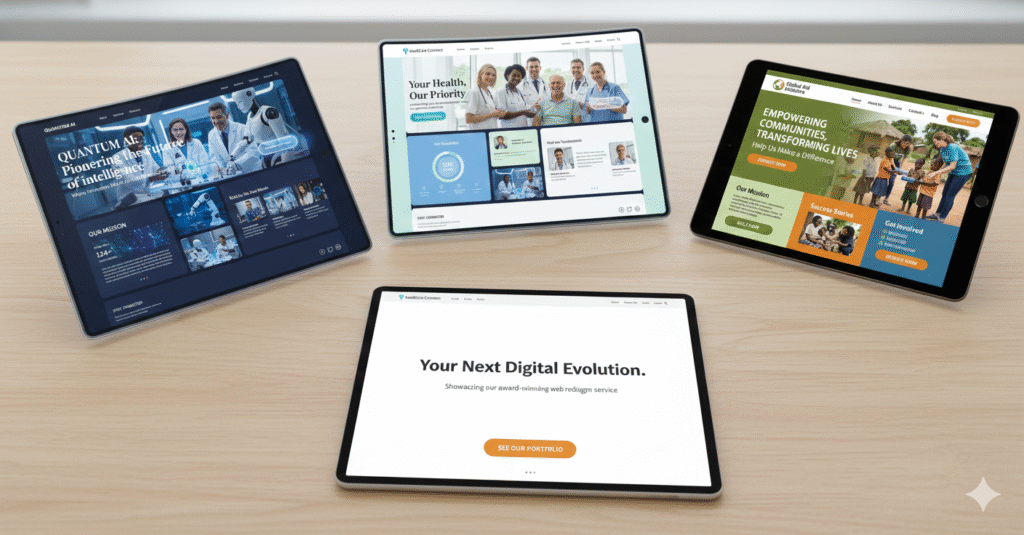
What Is a Web Redesign Service?
A web redesign service is the process of improving an existing website’s design, structure, content, functionality, and performance.
A redesign may include visual updates, but it should also focus on user experience, mobile responsiveness, SEO, accessibility, speed, and conversion goals.
A complete web redesign service may include:
- Website audit
- Design improvement
- Content review
- SEO optimization
- Mobile optimization
- Speed improvement
- User experience improvements
- Navigation updates
- Call-to-action improvements
- Technical fixes
- Analytics setup
- Conversion tracking
The goal is to create a website that looks professional, works smoothly, and helps visitors take action.
Whether you run a small business, agency, online store, local service company, nonprofit, school, clinic, restaurant, real estate brand, law firm, or personal brand, your website should support your goals.
A complete redesign often includes both design and development work. This means the website should not only look modern, but also be built with clean structure, responsive layouts, secure functionality, and long-term scalability. Businesses that need a stronger technical foundation can benefit from professional web development services that support platforms such as WordPress, Shopify, Webflow, and Squarespace.
Why You Need a Website Redesign Checklist
A redesign can be exciting, but it can also become expensive and confusing if there is no clear plan.
Many businesses make the mistake of redesigning based only on appearance. They choose a new layout, new images, and new colors, but they forget to review the deeper problems that may be hurting website performance.
A website redesign checklist helps you review the most important parts of your website before making changes.
It helps you answer questions like:
- What is working now?
- What needs improvement?
- Which pages are important?
- What do users need most?
- What keywords should the website target?
- What actions should visitors take?
- What technical problems need to be fixed?
- What content should be updated?
- How will success be measured?
A good checklist helps turn a redesign from a guessing game into a strategic project.
1. Review Your Website Goals
Before hiring a web redesign service, start by reviewing your website goals.
A website should have a clear purpose. Without clear goals, it is difficult to know what the redesign should achieve.
Ask yourself:
- Do you want more leads?
- Do you want more online sales?
- Do you want more appointment bookings?
- Do you want more phone calls?
- Do you want more quote requests?
- Do you want more email subscribers?
- Do you want to improve brand trust?
- Do you want to educate your audience?
- Do you want to improve search rankings?
- Do you want to make the website easier to use?
Every website should be designed around business goals and user needs.
For example, an e-commerce website may focus on product sales. A service business may focus on quote requests. A restaurant may focus on reservations and menu views. A nonprofit may focus on donations and volunteer signups.
When your goals are clear, the redesign becomes more focused.
2. Review Your Target Audience
Your website should not be designed only around what you like. It should be designed around what your audience needs.
Before redesigning, think carefully about who visits your website.
Your audience may include:
- Potential customers
- Existing customers
- Clients
- Patients
- Students
- Members
- Donors
- Job applicants
- Business partners
- Local visitors
- Online shoppers
Ask yourself:
- Who is the main audience?
- What problems are they trying to solve?
- What information do they need?
- What questions do they ask before contacting you?
- What may stop them from taking action?
- Are they mostly using desktop or mobile?
- Do they prefer quick answers or detailed information?
A strong web redesign service should help you build a website that speaks clearly to your audience.
The better you understand your visitors, the easier it becomes to create a website that feels helpful, trustworthy, and easy to use.
3. Review Your Current Website Design
Visual design matters because it affects first impressions. If your website looks outdated, cluttered, or unprofessional, visitors may question your credibility.
Review your current design and ask:
- Does the website look modern?
- Does it match your current brand?
- Are the colors consistent?
- Are the fonts easy to read?
- Are images clear and high quality?
- Is the layout clean?
- Does the homepage make a strong first impression?
- Does the design feel trustworthy?
- Is there too much clutter?
- Does the website look similar to your competitors?
A website does not need to be flashy to be effective. It needs to be clean, professional, easy to understand, and aligned with your brand.
A good redesign should make your website look better while also making it easier to use.
4. Review Website Navigation
Navigation is one of the most important parts of a website. If visitors cannot find what they need quickly, they may leave.
A strong website redesign checklist should always include navigation review.
Check your menu and ask:
- Is the navigation simple?
- Are menu labels clear?
- Are there too many menu items?
- Can users find important pages easily?
- Is the contact page easy to access?
- Are services or products organized clearly?
- Is the menu easy to use on mobile?
- Are important links hidden?
- Do visitors know where to click next?
Common navigation items may include:
- Home
- About
- Services
- Products
- Portfolio
- Blog
- Reviews
- Pricing
- Contact
- Book Now
- Request a Quote
The best navigation is simple and predictable. Visitors should not have to guess where to go.
A professional web redesign service should simplify your menu and organize pages in a way that supports user behavior.
5. Review Your Homepage
Your homepage is often the most visited page on your website. It should quickly explain who you are, what you offer, who you help, and what visitors should do next.
Review your homepage and ask:
- Is the main message clear within a few seconds?
- Does the headline explain what the business does?
- Is there a clear call to action?
- Are the main services or products easy to find?
- Does the homepage build trust?
- Are testimonials or reviews included?
- Is the layout easy to scan?
- Does the homepage guide users to important pages?
- Is there too much text?
- Is the page mobile-friendly?
Your homepage should not try to say everything. Instead, it should guide visitors to the most important parts of your website.
A strong homepage should include:
- Clear headline
- Short introduction
- Main services or products
- Trust signals
- Benefits
- Call-to-action buttons
- Internal links
- Contact or booking option
The homepage should act like a clear starting point, not a confusing information dump.
6. Review Your Website Content
Content is one of the most important parts of a website redesign.
A beautiful website will not perform well if the content is unclear, outdated, or poorly organized.
Before using a web redesign service, review your existing content.
Ask:
- Is the content accurate?
- Is the content easy to read?
- Does each page have a clear purpose?
- Are service pages detailed enough?
- Are product descriptions helpful?
- Is the content written for users, not just the business?
- Are there outdated offers, prices, team members, or contact details?
- Are there duplicate pages?
- Are important questions answered?
- Does the content include relevant keywords naturally?
Good website content should be clear, helpful, and focused on the visitor.
Instead of only saying what your business does, explain how your product or service helps people.
For example, instead of saying:
“We provide professional solutions for businesses.”
Say:
“We help small businesses build modern websites that attract visitors, explain services clearly, and turn more clicks into customer inquiries.”
Clear content improves trust, SEO, and conversions.
7. Review Your SEO Performance
Search engine optimization, or SEO, should be reviewed before any website redesign.
One of the biggest redesign mistakes is launching a new website without protecting existing SEO value.
Before redesigning, check:
- Which pages currently rank on Google?
- Which keywords bring traffic?
- Which pages get the most visits?
- Which blog posts perform well?
- Are page titles optimized?
- Are meta descriptions written properly?
- Are headings structured correctly?
- Are images optimized?
- Are URLs clean and readable?
- Are internal links used well?
- Are there broken links?
- Are redirects needed?
A professional web redesign service should protect your existing rankings while improving your SEO structure.
Important SEO elements to review include:
- Page titles
- Meta descriptions
- H1 headings
- H2 headings
- URL structure
- Image alt text
- Internal links
- Blog content
- Schema markup
- Page speed
- Mobile usability
SEO should not be added after the website is redesigned. It should be included from the beginning.
Search engine optimization should be part of your redesign from the beginning, not something added after launch. According to Google’s SEO Starter Guide, SEO helps search engines understand your content and helps users decide whether your page is useful before they visit. This is why your redesign should include clear page titles, helpful content, optimized headings, internal links, mobile usability, and fast loading speed.
8. Review Website Speed
Website speed matters because users do not want to wait for slow pages.
If your website takes too long to load, visitors may leave before they ever see your content.
Review your website speed and ask:
- Do pages load quickly?
- Are images too large?
- Are there too many plugins?
- Is the website using outdated code?
- Is hosting performance poor?
- Are videos slowing down the site?
- Are scripts or animations affecting speed?
- Does the mobile version load quickly?
A slow website can hurt user experience, leads, sales, and SEO performance.
A good web redesign service should improve speed by optimizing images, reducing unnecessary code, improving hosting setup, and building cleaner pages.
Fast websites feel more professional and make it easier for visitors to stay engaged.
Website speed affects user experience, conversions, and search performance. A slow website can frustrate visitors and make your business look less professional. During a redesign, speed should be reviewed carefully, including image sizes, hosting quality, plugins, scripts, and Core Web Vitals. For more details, see this guide on SEO and speed optimization.
9. Review Mobile Responsiveness
Many people visit websites from phones and tablets. Because of this, your website must work well on mobile devices.
A mobile-friendly website should be easy to read, easy to tap, and easy to navigate.
Review your mobile website and ask:
- Is the text readable without zooming?
- Are buttons easy to tap?
- Does the menu work properly?
- Are forms easy to complete?
- Do images fit the screen?
- Is the page layout clean?
- Are phone numbers clickable?
- Are important actions easy to find?
- Does the site load quickly on mobile?
Mobile responsiveness is no longer optional. It is a basic requirement for a modern website.
If your website is difficult to use on a phone, it may be time for a redesign.
Mobile experience should be one of the most important parts of your redesign checklist. Many visitors will view your website from a phone before they ever visit it on desktop. If your website is difficult to read, slow to load, or hard to navigate on mobile, you may lose potential customers. To understand this topic more deeply, read this guide on how to make a website mobile-friendly for Google.
10. Review Calls to Action
A call to action, or CTA, tells visitors what to do next.
Examples include:
- Contact Us
- Request a Quote
- Book an Appointment
- Shop Now
- Get Started
- Download the Guide
- Schedule a Consultation
- Subscribe
- Donate Now
- View Services
Without clear calls to action, visitors may browse your website and leave without taking the next step.
Review your CTAs and ask:
- Are buttons easy to find?
- Is the wording clear?
- Do CTAs appear on important pages?
- Are there too many competing CTAs?
- Does each page guide users toward one main action?
- Are forms connected properly?
- Are CTA buttons visible on mobile?
A strong web redesign service should place CTAs strategically across the website.
Every important page should answer this question:
“What should the visitor do next?”
11. Review Contact Forms and Lead Generation
If your website depends on leads, your forms must work properly.
A poorly designed contact form can cause lost opportunities.
Review your forms and ask:
- Are forms easy to find?
- Are forms short and simple?
- Do all form fields work?
- Are confirmation messages clear?
- Are form submissions delivered correctly?
- Are users asked only for necessary information?
- Is the form mobile-friendly?
- Is spam protection included?
- Is there a backup contact option?
For service businesses, forms are often one of the most important conversion tools.
A redesign should make it easier for visitors to contact you, not harder.
12. Review Trust Signals
Trust is a major part of website success.
Visitors want to know they are dealing with a reliable business, organization, or professional.
Review your website and check for trust signals such as:
- Customer reviews
- Testimonials
- Case studies
- Portfolio examples
- Certifications
- Awards
- Client logos
- Team photos
- Business address
- Phone number
- Secure website connection
- Privacy policy
- Clear pricing or process information
Trust signals help reduce doubt and increase confidence.
A strong website should show visitors why they can trust you before asking them to take action.
13. Review Your Competitors
Before redesigning your website, look at competitors or similar organizations in your industry.
This does not mean copying their websites. It means understanding what users may expect.
Review competitor websites and ask:
- What do they do well?
- What information do they make easy to find?
- How do they present services or products?
- What keywords do they target?
- What trust signals do they use?
- How strong are their calls to action?
- What makes your business different?
- How can your website be more helpful?
Competitor research can help you identify gaps and opportunities.
Your redesign should not only look different. It should communicate your value more clearly.
14. Review Accessibility
Accessibility means making your website usable for as many people as possible.
This includes people with visual, hearing, mobility, cognitive, or other needs.
Review accessibility and ask:
- Is text easy to read?
- Is color contrast strong enough?
- Can users navigate with a keyboard?
- Do images have helpful alt text?
- Are headings organized correctly?
- Are forms clearly labeled?
- Are videos captioned?
- Are buttons descriptive?
- Is the website easy to understand?
Accessibility helps all users, not only users with disabilities.
A more accessible website is often clearer, easier to use, and better structured.
Accessibility should be part of every web redesign service, regardless of industry.
15. Review Website Security
Security is another important part of website redesign.
Visitors need to know that your website is safe to use.
Before redesigning, check:
- Does your website have an SSL certificate?
- Does the URL start with HTTPS?
- Are plugins and themes updated?
- Are forms protected from spam?
- Is admin access secure?
- Are backups in place?
- Are old users removed?
- Is sensitive data protected?
- Is the website monitored for threats?
For WordPress websites, security is especially important because outdated themes or plugins can create risks.
A redesign is a good time to clean up your website and improve protection.
16. Review Website Analytics
You should understand how your current website performs before redesigning it.
Analytics can show what users are doing, which pages are popular, and where visitors may be leaving.
Review analytics and ask:
- Which pages get the most traffic?
- Which pages have high bounce rates?
- Which pages generate leads or sales?
- Where do visitors come from?
- What devices do visitors use?
- How long do people stay?
- Which pages are not performing?
- Which blog posts bring traffic?
- Which buttons or forms get clicks?
Without analytics, you may redesign based on opinion instead of real data.
A professional web redesign service should use analytics to guide design decisions.
17. Review Your Website Structure
Website structure affects user experience and SEO.
A clear structure helps visitors and search engines understand how pages are connected.
Review your structure and ask:
- Are services organized clearly?
- Are product categories easy to understand?
- Are important pages easy to reach?
- Are there too many unnecessary pages?
- Are pages grouped logically?
- Are URLs simple?
- Are internal links helpful?
- Is the blog organized by category?
A strong website structure may look like this:
Home
About
Services
Service Page 1
Service Page 2
Service Page 3
Blog
Contact
For an online store, it may look like this:
Home
Shop
Category Pages
Product Pages
About
FAQ
Contact
A redesign should make your website easier to explore.
18. Review Images and Media
Images can make your website more engaging, but they can also slow it down if not optimized.
Before redesigning, review:
- Are images high quality?
- Are images relevant?
- Are images outdated?
- Are file sizes too large?
- Do images have alt text?
- Are videos slowing down pages?
- Are stock photos overused?
- Do visuals support the brand?
- Are team or product photos current?
Good visuals help tell your story. Poor visuals can make a website feel outdated or untrustworthy.
A web redesign is a good time to replace low-quality images and optimize media files.
19. Review Blog and Educational Content
A blog can help your website attract visitors, answer common questions, and build authority.
Before redesigning, review your blog content.
Ask:
- Which blog posts get traffic?
- Which posts are outdated?
- Which posts should be updated?
- Are there duplicate topics?
- Are posts organized by category?
- Do posts link to service pages?
- Are blog titles SEO-friendly?
- Are articles helpful and easy to read?
A good blog supports both users and SEO.
For example, a business offering a web redesign service could publish educational topics such as:
- Signs Your Website Needs a Redesign
- Website Redesign vs Website Refresh
- How Website Redesign Improves SEO
- What Makes a Website User-Friendly?
- Website Redesign Mistakes to Avoid
Educational content can help attract people who are researching before they are ready to buy.
20. Review Your Conversion Path
A conversion path is the journey a visitor takes before completing an action.
That action could be:
- Buying a product
- Filling out a form
- Booking a call
- Requesting a quote
- Joining an email list
- Downloading a guide
- Donating
- Registering for an event
Review your conversion path and ask:
- Is the journey simple?
- Are there too many steps?
- Are important pages connected?
- Is the CTA clear?
- Are forms easy to complete?
- Are users given enough information before taking action?
- Is trust built before the final step?
A strong redesign makes it easier for visitors to move from interest to action.
If your website sells products online, the redesign should also review the full ecommerce journey. This includes product pages, category pages, cart experience, checkout flow, payment options, shipping information, and trust signals. Businesses that want to improve online sales can explore ecommerce development solutions designed to create smoother shopping experiences and better conversions.
21. Review Your WordPress Setup
If your website is built on WordPress, the redesign is a good time to review your backend setup.
Check:
- Is WordPress updated?
- Are plugins necessary and updated?
- Are inactive plugins removed?
- Is the theme lightweight and secure?
- Is the website easy for your team to edit?
- Are pages built with clean structure?
- Are backups set up?
- Is caching enabled?
- Are SEO plugins configured?
- Are forms working properly?
A good web redesign service should not only improve the frontend design. It should also make the website easier to manage behind the scenes.
For WordPress websites, redesigning the frontend is only part of the process. You should also review plugins, themes, backups, security, forms, page builders, caching, and content management. After launch, ongoing maintenance is important to keep the website secure, updated, and performing well. Professional website support services can help protect your website and keep it running smoothly after the redesign is complete.
22. Review Redirects Before Launch
If your redesign changes page URLs, redirects are extremely important.
A redirect sends users and search engines from an old URL to the new one.
Without redirects, people may land on broken pages. Search engines may also lose track of important content.
Before launching, check:
- Which URLs are changing?
- Which pages need redirects?
- Are old blog posts preserved?
- Are service pages mapped correctly?
- Are deleted pages redirected to relevant pages?
- Are there broken links?
- Has the sitemap been updated?
Redirect planning protects SEO and improves user experience.
This is one of the most important technical steps in any website redesign.
23. Review Testing Before Launch
Never launch a redesigned website without testing it first.
Testing helps catch mistakes before visitors see them.
Before launch, test:
- All pages
- All menus
- All buttons
- All forms
- All links
- Mobile layout
- Desktop layout
- Tablet layout
- Page speed
- Browser compatibility
- Contact information
- Payment process
- Booking process
- Search function
- Analytics tracking
A redesign can look finished but still have hidden issues. Testing helps prevent problems after launch.
24. Review Your Post-Launch Plan
A website redesign does not end at launch.
After launch, you should monitor performance and continue making improvements.
Review:
- Website traffic
- Search rankings
- Form submissions
- Sales
- Calls
- Page speed
- Broken links
- User behavior
- Conversion rates
- Mobile performance
- Security updates
A website should continue improving over time.
The best web redesign service is not only about launching a new website. It is about helping the website perform better after launch.
Complete Website Redesign Checklist
Here is a simple checklist you can use before starting your website redesign:
- Define your website goals
- Identify your target audience
- Review your current website design
- Check navigation and menu structure
- Review your homepage
- Audit website content
- Review SEO performance
- Check website speed
- Test mobile responsiveness
- Review calls to action
- Test contact forms
- Add or improve trust signals
- Research competitors
- Review accessibility
- Check website security
- Review analytics
- Improve website structure
- Optimize images and media
- Review blog content
- Map the conversion path
- Review WordPress setup
- Plan redirects
- Test before launch
- Create a post-launch improvement plan
This checklist can help you prepare for a smoother, smarter, and more successful redesign.
Common Website Redesign Mistakes to Avoid
A redesign can create problems if it is not planned properly.
Avoid these common mistakes:
- Redesigning only for appearance
- Ignoring SEO
- Removing important pages
- Forgetting redirects
- Using unclear calls to action
- Making navigation too complicated
- Ignoring mobile users
- Using large, slow images
- Not testing forms
- Forgetting analytics
- Ignoring accessibility
- Launching without testing
- Writing content only for the business, not the user
A professional web redesign service helps avoid these mistakes by planning carefully before making major changes.
Final Thoughts
A website redesign is an important investment for any business or organization. Your website should represent your brand clearly, support your goals, and make it easy for visitors to take action.
Before redesigning, take time to review your current website carefully. Look at the design, content, speed, SEO, mobile experience, navigation, accessibility, security, and conversion paths.
This website redesign checklist can help you understand what needs improvement before the redesign begins.
A successful web redesign service is not just about creating a better-looking website. It is about building a better digital experience.
When your website is clear, fast, mobile-friendly, secure, and easy to use, it can help attract more visitors, build more trust, and turn more users into customers, clients, members, donors, or leads.
Your website should not just exist online.
It should work for your business every day.
Frequently Asked Questions About Web Redesign Service
What is a web redesign service?
A web redesign service improves an existing website’s design, content, structure, performance, and user experience. It helps make the website more modern, useful, mobile-friendly, and effective.
Why is a website redesign checklist important?
A website redesign checklist helps you review important areas before redesigning your website. It helps prevent mistakes, protect SEO, improve user experience, and make the redesign process more strategic.
How do I know if my website needs a redesign?
Your website may need a redesign if it looks outdated, loads slowly, performs poorly on mobile, has confusing navigation, gets low conversions, has outdated content, or does not match your current brand.
Can a web redesign service improve SEO?
Yes. A web redesign service can improve SEO by improving site speed, mobile usability, page structure, headings, metadata, internal linking, content quality, and technical performance.
How often should a website be redesigned?
Many businesses review their website every 2 to 3 years and consider a full redesign every 3 to 5 years. However, you may need a redesign sooner if your website is outdated, slow, difficult to use, or not generating results.
What should I check before redesigning my website?
Before redesigning your website, review your goals, audience, design, content, SEO, speed, mobile experience, navigation, CTAs, forms, analytics, accessibility, security, and conversion paths.
Is website redesign only about changing the design?
No. Website redesign is not only about visual changes. A complete redesign improves user experience, content, SEO, speed, mobile responsiveness, accessibility, security, and conversions.
Can I redesign my WordPress website without losing SEO?
Yes, but it must be done carefully. Keep important pages, optimize content, use proper redirects, preserve high-performing URLs when possible, update the sitemap, and test the website before launch.
Ready to Redesign Your Website the Right Way?
A professional web redesign service can help you create a website that looks modern, loads faster, works on mobile, ranks better in search, and turns more visitors into customers.
At Pinnacle Web Experts, we help businesses build websites that are clear, fast, responsive, and designed for growth. Whether you need <a href=”https://pinnaclewebexperts.com/custom-website-design/”>custom website design</a>, expert <a href=”https://pinnaclewebexperts.com/web-development-services/”>web development services</a>, conversion-focused <a href=”https://pinnaclewebexperts.com/ecommerce-development-solutions/”>ecommerce development solutions</a>, or ongoing <a href=”https://pinnaclewebexperts.com/website-support-services/”>website support services</a>, our team can help you create a stronger online presence.
Build a website that does more than look good.
Build a website that works for your business.
Start with a custom website design today.
A website redesign is a smart investment when it is planned correctly. Whether you need custom website design, professional web development services, ecommerce development solutions, or ongoing website support services, the right strategy can help your website become faster, clearer, easier to use, and more effective for your business.