

10 Steps to Build Mobile Websites for Google (2026 Guide)
Introduction
Did you know that over 60% of all global website traffic now originates from mobile devices? In today’s digital landscape, having a website that simply “works” on a smartphone is no longer enough. If you want to capture and retain your audience’s attention, you must build mobile websites that perform flawlessly across all devices. Failing to do so means risking lost visitors to competitors and suffering severe ranking drops on Google.
This is why understanding how to build mobile websites optimized for Google is absolutely critical for modern Search Engine Optimization (SEO). Since Google completed its transition to mobile-first indexing, the search engine now primarily evaluates the mobile version of your website to determine its ranking in search results—even for users searching on a desktop computer.
A truly optimized mobile site loads at lightning speed, utilizes responsive web design to display content properly across all screen sizes, and provides a frictionless mobile user experience (UX). Websites that fail to meet these modern mobile website design best practices consistently suffer from higher bounce rates, slower conversion cycles, and reduced visibility in organic search results.
In this comprehensive guide, we will provide you with the ultimate 2026 mobile SEO checklist. You will learn actionable strategies to optimize your website for peak performance, superior mobile usability, and higher rankings on Google.
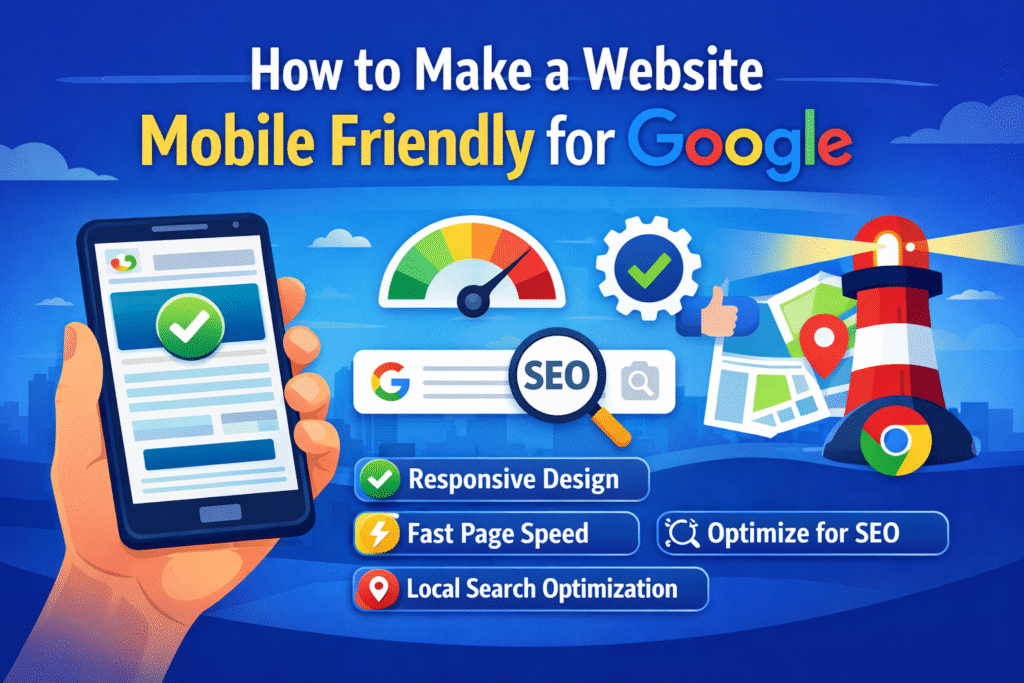
What Does “Mobile-Friendly” Mean in SEO?
In the context of SEO, a mobile-friendly website is one specifically designed to provide an optimal viewing and interaction experience across a wide range of mobile devices, from smartphones to tablets. Superior mobile UX means that users can read text, view images, and navigate the site effortlessly without having to pinch, zoom, or scroll horizontally.
Historically, developers achieved this by creating separate mobile websites (e.g., m.example.com). However, Google now strongly recommends responsive web design. Responsive design allows a website to dynamically adapt its layout, images, and content to fit the exact screen size of the device being used, all while maintaining a single URL structure. This unified approach simplifies SEO management and ensures a consistent experience for all users. If you are debating between custom solutions and pre-made options, exploring the differences in custom website development vs templates can help you make the right choice for your brand.
Why Mobile Optimization is Critical for Google Rankings
1. Google Uses Mobile-First Indexing
Google now indexes and ranks websites based on their mobile version first. If your mobile site is missing content that exists on your desktop site, or if it suffers from poor loading speeds and usability issues, it will directly and negatively impact your overall search rankings. According to Google’s official documentation, mobile-first indexing is designed to ensure that users receive the best possible experience when browsing the web on their smartphones.
2. Core Web Vitals Are a Ranking Factor
Google utilizes a set of specific metrics known as Core Web Vitals to evaluate the real-world user experience of a webpage. These metrics are heavily influenced by mobile performance. The three main Core Web Vitals include:
- Largest Contentful Paint (LCP): Measures loading performance. For a good user experience, LCP should occur within 2.5 seconds of when the page first starts loading.
- Interaction to Next Paint (INP): Measures responsiveness to user input. A good INP score is 200 milliseconds or less.
- Cumulative Layout Shift (CLS): Measures visual stability. A good CLS score is 0.1 or less.
Websites that optimize these metrics for mobile users are rewarded with better visibility in search engine results pages (SERPs).
Optimizing your mobile site ensures visitors stay longer and interact with your content.
3. Better Mobile Usability Drives Conversions
Google considers Core Web Vitals a ranking factor. These metrics evaluate the real user experience on your website.
Mobile users are notoriously impatient. They expect pages to load instantly and navigation to be intuitive. Poor mobile usability inevitably leads to higher bounce rates, lower engagement metrics, and drastically reduced conversion rates. Conversely, when you build mobile websites with the user in mind, visitors stay longer, interact more deeply with your content, and are more likely to convert into paying customers or qualified leads. This is especially true for specialized sites, such as personal branding websites, where first impressions dictate trust and authority.
10 Steps to Build Mobile Websites That Rank
Follow this comprehensive 10-step checklist to ensure your website is fully optimized for mobile users and Google’s search algorithms in 2026.
1. Implement Responsive Web Design
As mentioned earlier, responsive web design is the gold standard for mobile SEO. It ensures that your website automatically adapts to any screen size, providing a seamless experience across all devices. Instead of managing multiple versions of your site, responsive design utilizes flexible grids, relative units (like percentages), and CSS media queries to rearrange elements dynamically.
If you are using a Content Management System (CMS) like WordPress, ensure you are utilizing a modern, responsive theme such as Astra, GeneratePress, or Kadence. For custom builds, frameworks like Bootstrap or Tailwind CSS provide robust responsive foundations. If you are using page builders, optimizing your Elementor SEO settings is crucial for maintaining fast load times.
2. Improve Mobile Page Loading Speed
Page speed is arguably the most critical ranking factor for mobile SEO. Mobile users often browse on slower 4G or 5G networks, making fast loading times essential. To drastically improve your mobile speed:
- Enable Caching: Utilize caching plugins (like WP Rocket or W3 Total Cache for WordPress) to store website data temporarily, allowing for near-instant loading for returning visitors.
- Minimize CSS and JavaScript: Remove unnecessary code, comments, and whitespace from your files. Combine files where possible to reduce the number of HTTP requests required to load the page.
- Use a Content Delivery Network (CDN): A CDN (such as Cloudflare) distributes your website’s static files across a global network of servers, delivering content to users from the server geographically closest to them, thereby reducing latency.
3. Optimize Images and Media for Mobile
Large, unoptimized images are the primary culprit behind slow mobile websites. To optimize your visual assets:
- Compress Images: Use tools like TinyPNG, ShortPixel, or ImageOptim to reduce file sizes without noticeable quality loss.
- Serve Next-Gen Formats: Convert your images to modern formats like WebP or AVIF, which provide superior compression compared to traditional JPEGs and PNGs.
- Implement Lazy Loading: This technique delays the loading of images and videos until the user actually scrolls down to them, significantly speeding up the initial page load time.
- Use Responsive Images: Utilize the srcset attribute in your HTML to allow browsers to download the most appropriately sized image based on the user’s specific device resolution.
4. Implement Touch-Friendly Design (Optimize Tap Targets)
Mobile users navigate with their thumbs, not a precise mouse cursor. If your buttons and links are too small or placed too closely together, users will experience “fat-finger” errors, leading to frustration and site abandonment.
Google explicitly recommends implementing touch-friendly design where all interactive elements (buttons, links, form fields) have a minimum tap target size of 48px by 48px. Additionally, ensure there is adequate spacing (at least 8px) between interactive elements to prevent accidental clicks.
5. Focus on Mobile Navigation Optimization
Desktop websites often feature complex, multi-tiered dropdown menus. On a mobile device, these menus become unusable. Mobile navigation optimization requires radical simplification.
- Use a Hamburger Menu: Consolidate your primary navigation links behind a recognizable hamburger icon (three horizontal lines) to save valuable screen real estate.
- Keep it Simple: Limit the number of items in your mobile menu to the most essential pages.
- Sticky Header: Consider implementing a sticky header that remains at the top of the screen as the user scrolls, providing constant access to the menu and your primary Call to Action (CTA).
6. Eliminate Intrusive Interstitials (Pop-ups)
Google actively penalizes websites that utilize aggressive, full-screen pop-ups (interstitials) on mobile devices, as outlined in their Intrusive Interstitials Policy. These intrusive elements block the primary content of the page and severely disrupt the mobile UX, particularly on small screens.
Instead of full-screen pop-ups that force users to close them before reading your content, consider using less disruptive alternatives:
- Slide-in Banners: Small, unobtrusive banners that appear at the bottom or side of the screen.
- Notification Bars: Thin bars fixed to the top or bottom of the viewport.
- Exit-Intent Pop-ups: These are triggered only when a user exhibits behavior indicating they are about to leave the page, minimizing interruption during their reading session.
7. Ensure Readable Typography
If a mobile user has to pinch and zoom to read your paragraphs, your site lacks basic mobile usability. To guarantee exceptional readability on smartphones:
- Minimum Font Size: Ensure your body text is a minimum of 16px, which is considered the standard for comfortable reading on most mobile screens.
- Line Height: Utilize a line height between 1.4 and 1.6 to provide sufficient breathing room between lines of text.
- Contrast Ratio: Maintain a high contrast ratio (at least 4.5:1) between your text and background colors to ensure legibility in varying lighting conditions, following the WCAG Accessibility Guidelines.
- Short Paragraphs: Break up large blocks of text into concise, 2-3 sentence paragraphs.
8. Avoid Intrusive Popups
Lengthy, complex forms are the enemy of mobile conversions. Typing on a smartphone keyboard is inherently more difficult than on a desktop. To optimize your mobile forms:
- Correct Input Types: Ensure you are using the correct HTML input types (e.g., type=”email”, type=”tel”, type=”number”). This prompts the smartphone to display the most appropriate keyboard (e.g., a numeric keypad for phone numbers), drastically speeding up the data entry process.
- Minimize Fields: Request only the absolute minimum information necessary to complete the transaction or inquiry.
- Utilize Autofill: Enable the autocomplete attribute on your form fields, allowing browsers to automatically populate common information like names, email addresses, and phone numbers.
9. Optimize Core Web Vitals (LCP, INP, CLS)
As discussed earlier, Core Web Vitals are paramount for mobile SEO success. To specifically target these metrics:
- Improve CLS: Always include explicit width and height attributes for your images and video elements. Avoid inserting dynamic content above existing content unless triggered by a direct user action.
- Improve LCP: Optimize your server response times, utilize a CDN, and prioritize the loading of critical CSS and the largest above-the-fold image.
- Improve INP: Minimize JavaScript execution time, break up long tasks, and optimize your event handlers to ensure the page responds instantly to user interactions.
10. Leverage Local SEO for Mobile Users
Mobile searches frequently exhibit strong local intent (e.g., “restaurants near me,” “plumbers in [city]”). If your business serves a specific geographic area, local mobile SEO is crucial.
- Google Business Profile: Claim and meticulously optimize your Google Business Profile to appear in local map packs.
- Click-to-Call Buttons: Ensure your phone number is prominently displayed and hyperlinked using the tel: protocol, allowing mobile users to call you with a single tap.
- Embed Google Maps: Integrate an interactive Google Map on your contact page to facilitate easy navigation for mobile users seeking directions.
- Local Schema Markup: Implement Local Business schema markup to provide search engines with unambiguous details about your business’s location, hours, and contact information.
How to Test Your Website’s Mobile Friendliness
Don’t guess—verify. Utilize these essential tools to evaluate your website’s mobile performance and identify areas for improvement. Ongoing testing is a core component of professional website support and maintenance services.
Google Search Console (Mobile Usability Report)
The Mobile Usability report within Google Search Console is your definitive source for identifying mobile-specific errors on your website. It highlights critical issues such as “Text too small to read,” “Clickable elements too close together,” and “Content wider than screen.” Addressing these specific errors is vital for maintaining a healthy mobile presence in Google’s eyes.
PageSpeed Insights
Google’s PageSpeed Insights provides a comprehensive analysis of your website’s performance on both mobile and desktop devices. It delivers a specific score based on your Core Web Vitals and offers actionable, prioritized recommendations for improving your loading speed and overall user experience.
Lighthouse
Built directly into Google Chrome’s Developer Tools, Lighthouse allows you to run automated audits on any webpage. It evaluates performance, accessibility, progressive web apps, and SEO best practices, providing a detailed report with specific steps for optimization.
Common Mobile SEO Mistakes to Avoid
Even seasoned marketers can fall victim to these common mobile SEO pitfalls:
1. Using desktop popups on mobile
These block content and harm user experience.
2. Ignoring Core Web Vitals
Poor performance can negatively affect rankings.
3. Large unoptimized images
Large images slow down mobile loading speed.
4. Small clickable buttons
Buttons that are too small frustrate mobile users.
Blocking CSS, JavaScript, or Images: Ensure your robots.txt file is not inadvertently blocking Googlebot from accessing critical resources required to render your page correctly.
Unplayable Content: Avoid utilizing obsolete technologies like Adobe Flash or proprietary video players that are not supported on modern mobile devices. Utilize HTML5 standard tags for all multimedia content.
Faulty Redirects: If you maintain separate mobile URLs, ensure that desktop users are correctly redirected to the desktop version, and mobile users are seamlessly redirected to the mobile version of the specific page they requested, not just the homepage.
Slow Server Response Times: Invest in high-quality, reliable web hosting. A slow server will inevitably result in a slow mobile website, regardless of how well you optimize your front-end code. This is particularly important for complex platforms like customized B2B ecommerce development.
Advanced Mobile Optimization Tips
If you want to go further with mobile SEO, consider these advanced techniques.
Use a Content Delivery Network (CDN)
CDNs deliver website files from servers closest to users.
Popular CDN providers include:
- Cloudflare
- StackPath
- KeyCDN
Cloudflare CDN:
https://www.cloudflare.com
Implement AMP (Accelerated Mobile Pages)
AMP improves page speed by simplifying HTML and limiting scripts.
While AMP isn’t necessary for all websites, it can benefit news sites and blogs.
Learn more about AMP:
https://amp.dev
Perform Regular SEO Audits
Regular site audits help identify mobile issues affecting performance.
Tools you can use include:
- Ahrefs Site Audit
- SEMrush Audit
- Screaming Frog
SEO audit guide:
https://ahrefs.com/blog/seo-audit
Tools to Test Mobile Optimization
Use these tools to evaluate your mobile performance.
Google PageSpeed Insights
Google Mobile-Friendly Test
GTmetrix
Lighthouse
These tools provide actionable recommendations to improve your mobile SEO.
Ready for Higher Rankings?
Learning how to build mobile websites optimized for Google is an ongoing process, but it is absolutely essential in today’s mobile-first digital landscape. By diligently following this 2026 mobile SEO checklist and adhering to strict mobile website design best practices, you can dramatically improve your website’s speed, user experience, Core Web Vitals, and ultimately, your search engine rankings.
Mobile optimization is not merely about appeasing Google’s algorithms; it is about providing a frictionless, engaging experience for your visitors. A fast, responsive, and accessible website keeps users engaged, encourages them to return, and drives meaningful business results.
If you want to grow faster and dominate the mobile search results:
- Run a comprehensive mobile SEO audit.
- Prioritize improving your Core Web Vitals.
- Ensure your site is fully optimized for Google’s mobile-first indexing.
Bookmark this guide and begin implementing these proven strategies today to ensure your website is fully mobile friendly for Google in 2026 and beyond. If you need professional assistance to implement these changes, explore our comprehensive custom web design and development services at Pinnacle Web Experts.
Mobile optimization isn’t just about pleasing Google — it’s about providing a seamless experience for your visitors.
A fast, responsive, and accessible website keeps users engaged and encourages them to return.